
Currently, Starfolio does not allow deletion of manually added transactions. However, you can correct an incorrect entry using the steps below.
How to correct a wrong manual entry
1. Go to the My Baskets page and select the basket you want to update.

2. Under the Investment Detail tab, scroll down to the Current Investments table.
3. Click Manual Entry (top-right corner) and select Add Sell Transaction.
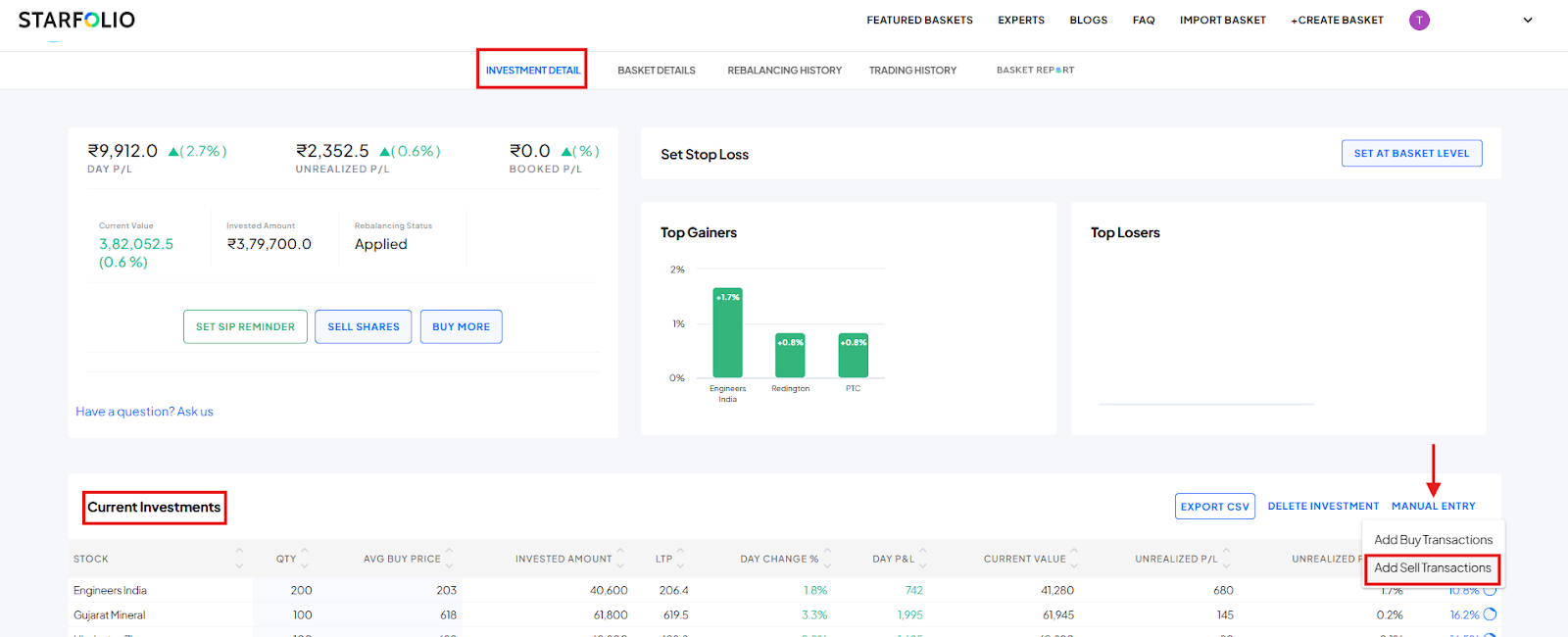
4. Enter the same quantity and price of the stock you want to correct, then click Submit. This action nullifies the incorrect entry.

After that, re-add the stock using Manual Entry with the correct quantity and average traded price.