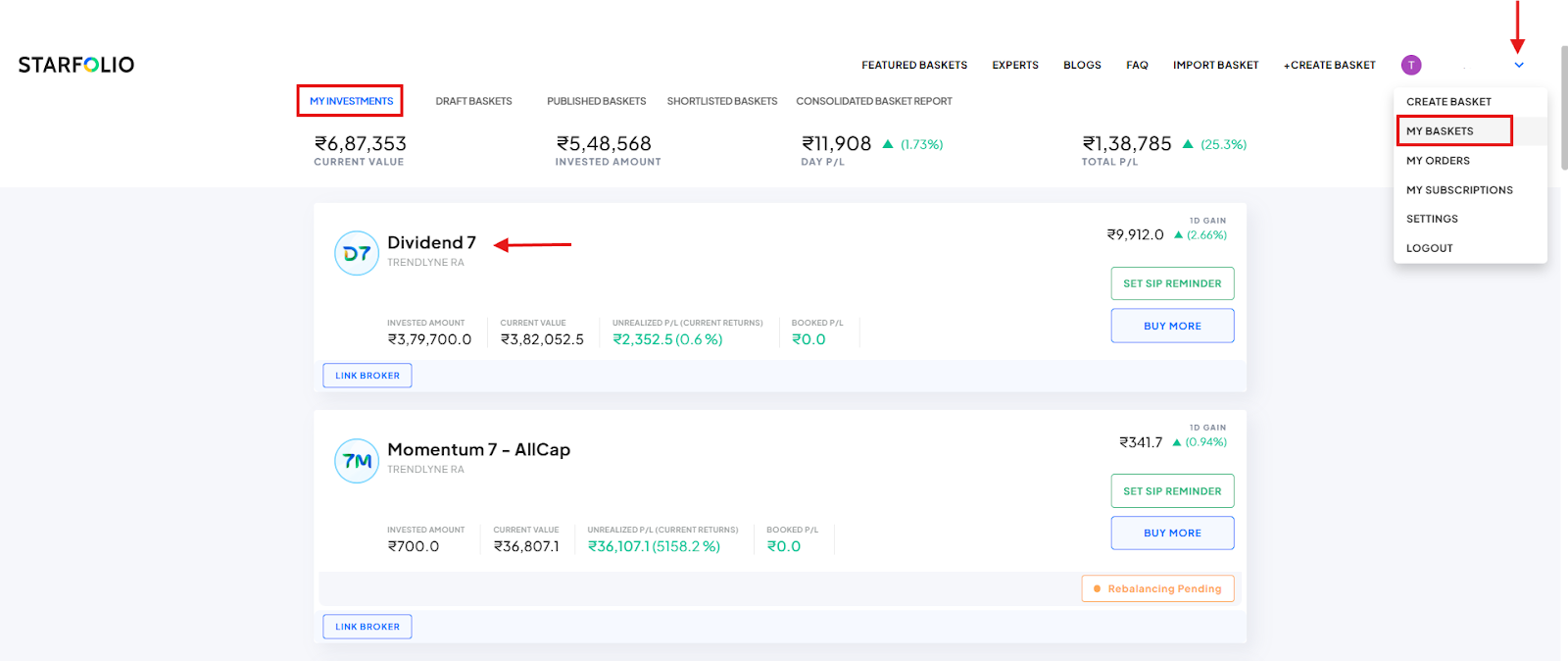
Currently, Starfolio supports integration with the following brokers: Zerodha, Upstox, Dhan, IIFL Capital, Axis Securities, and 5 Paisa. We are actively working on adding more brokers.
If your broker is not listed, you do not need to open a new demat account. You can continue placing trades directly through your existing broker.
How to invest using manual mode:
1. After subscribing to a basket, click Invest.
2. You will see the basket constituents along with suggested quantities based on the minimum investment amount.
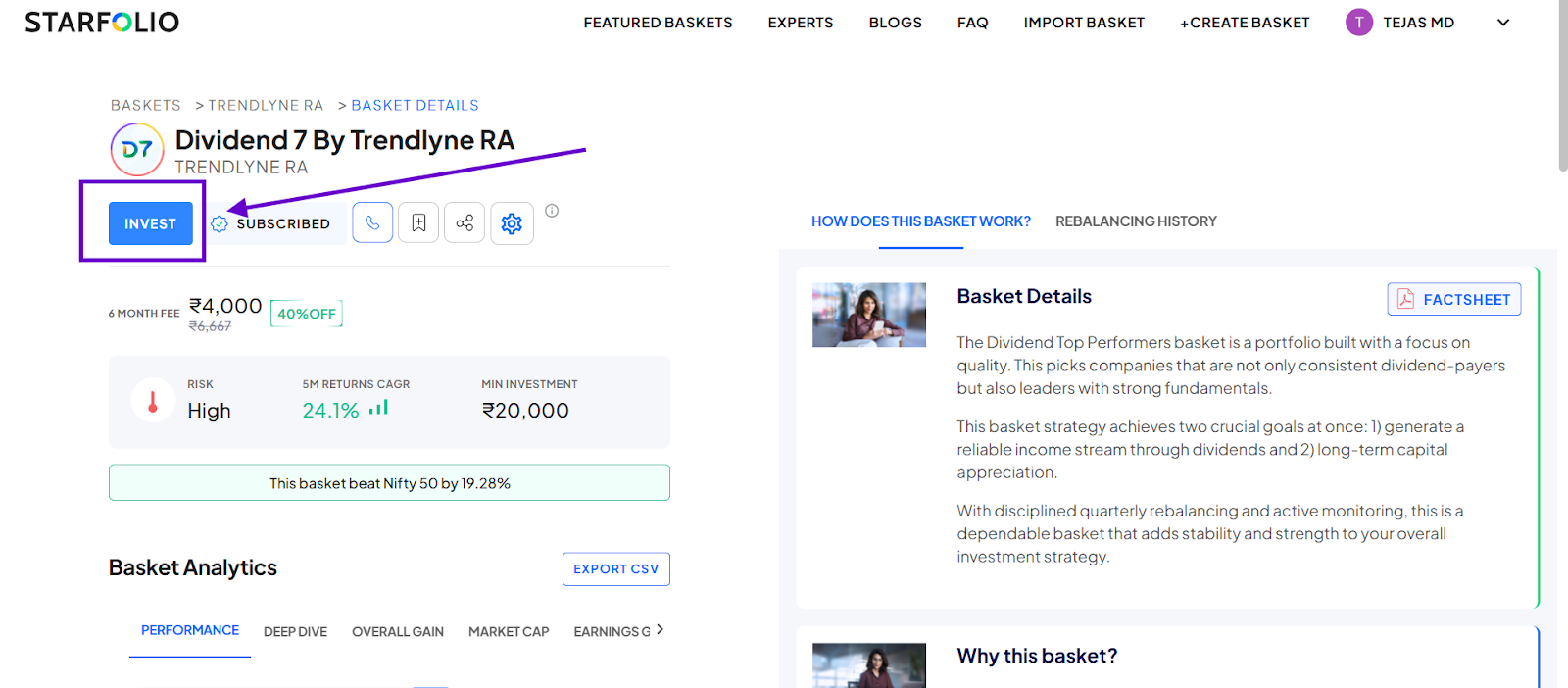
3. Enter your preferred investment amount. Starfolio will automatically adjust stock quantities while maintaining the basket allocation.
4. Place these trades directly with your broker.
How to add your trades manually on Starfolio
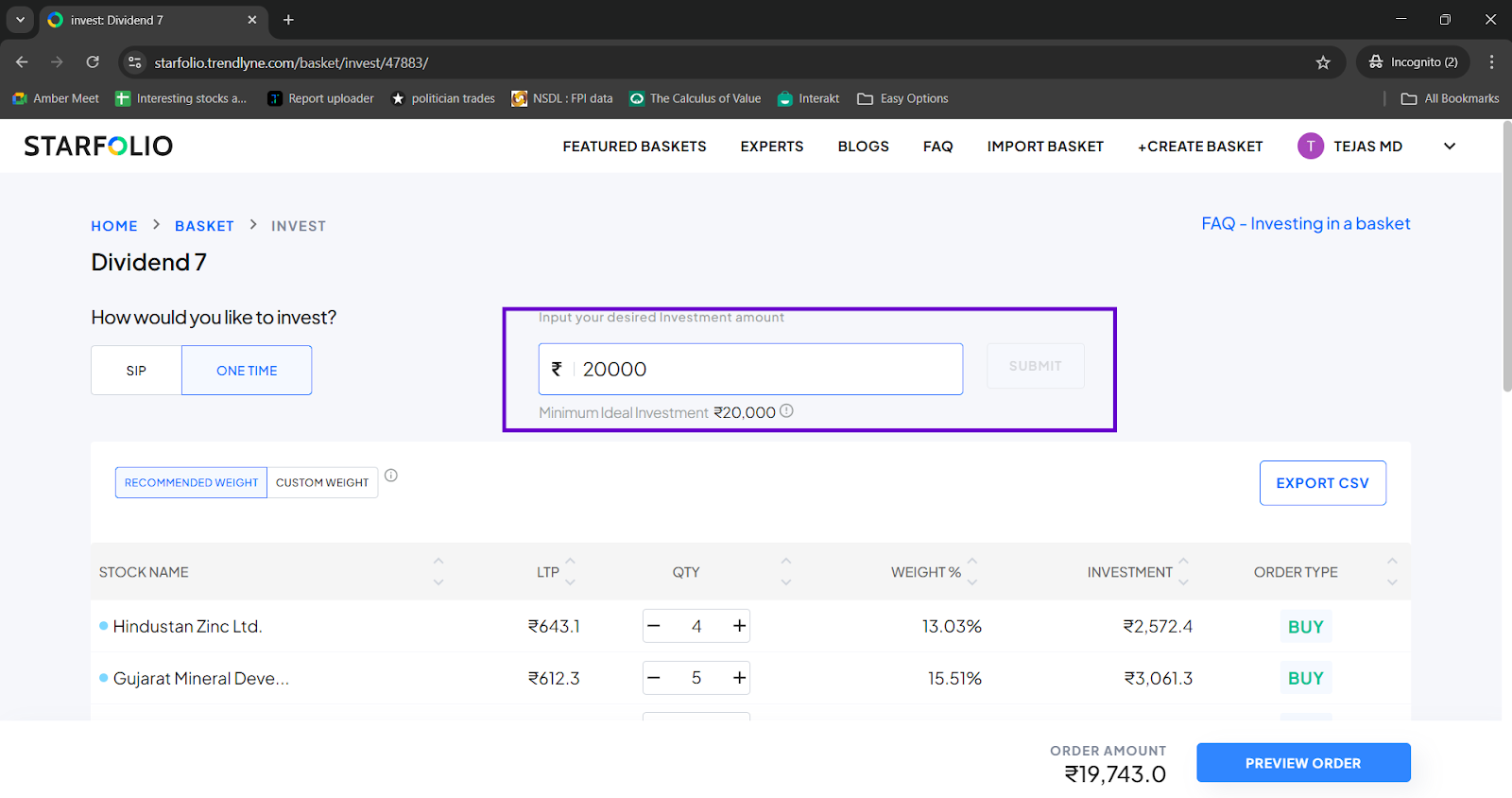
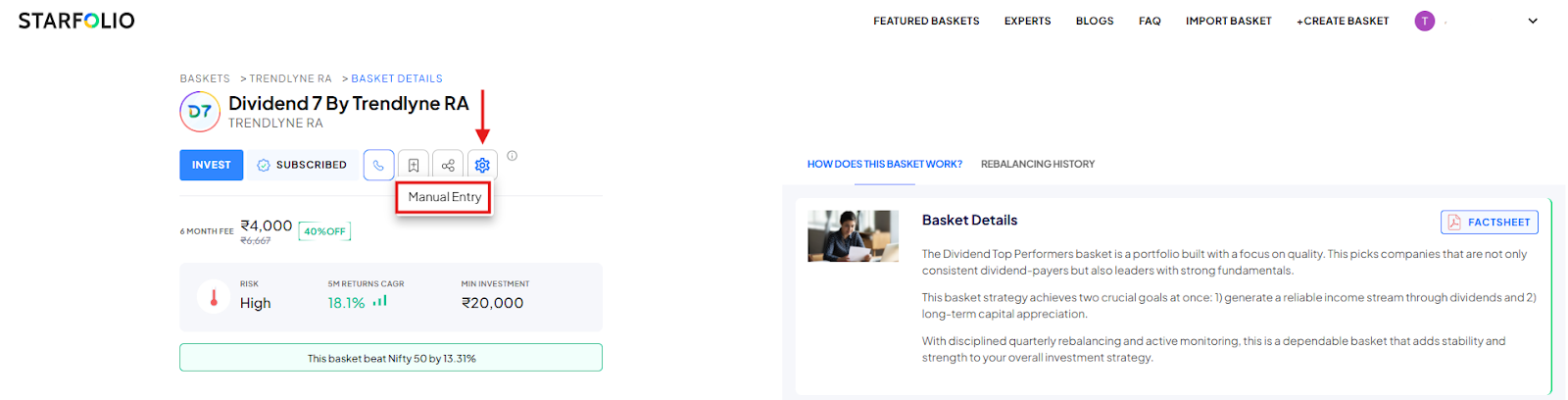
After placing trades directly with your broker, you can manually add your transactions by following the steps below, as shown in the image for the Dividend 7 by Trendlyne RA basket:
1. Go to the Baskets’ page.
2. Click the Settings (⚙️) icon next to the share icon.
3. Select Manual Entry.
4. Enter the Quantity and Average Traded Price for each stock.
5. Click Submit to save the details.
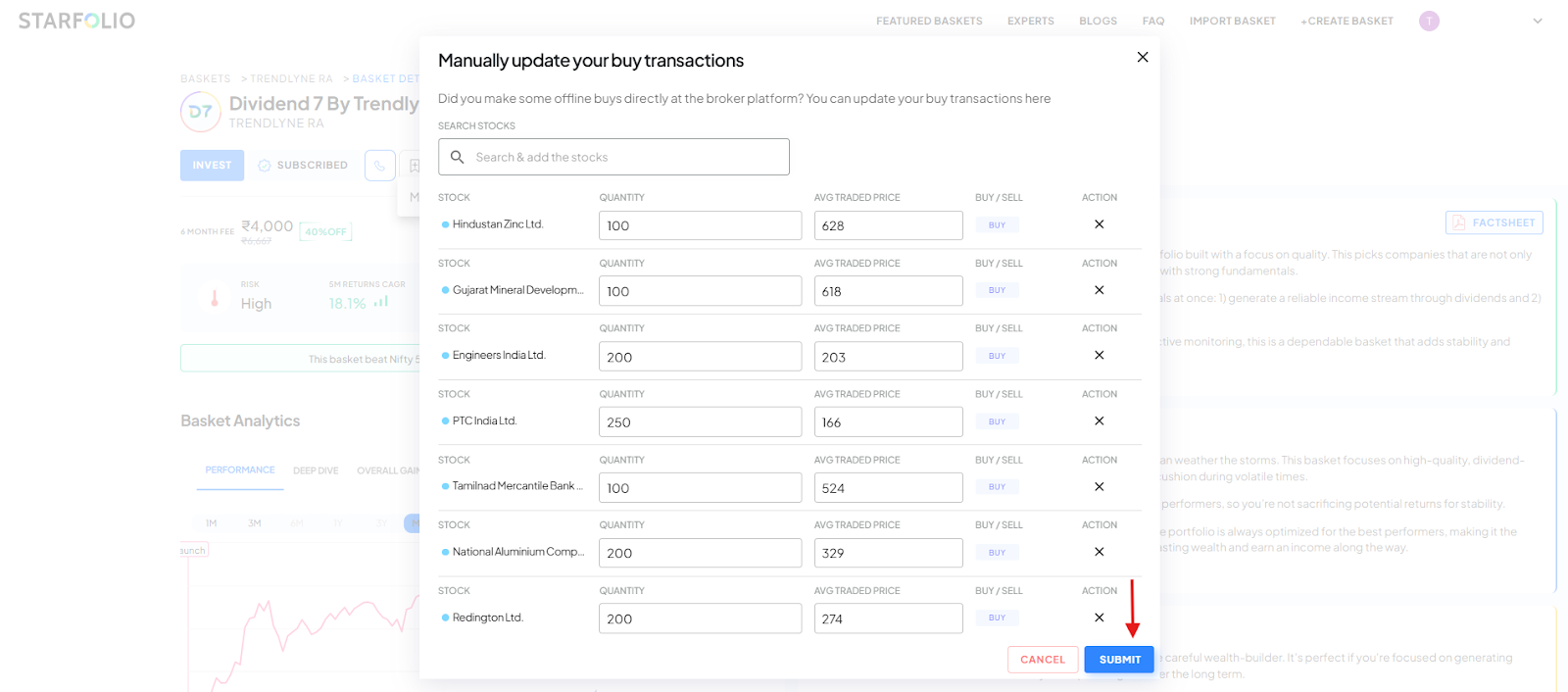
Once the transactions are added, you will be able to track your investments and performance on My Baskets page.